M1 Countertrend Scalping EA (MT5) – Strategy & Configuration Guide
Executive Summary
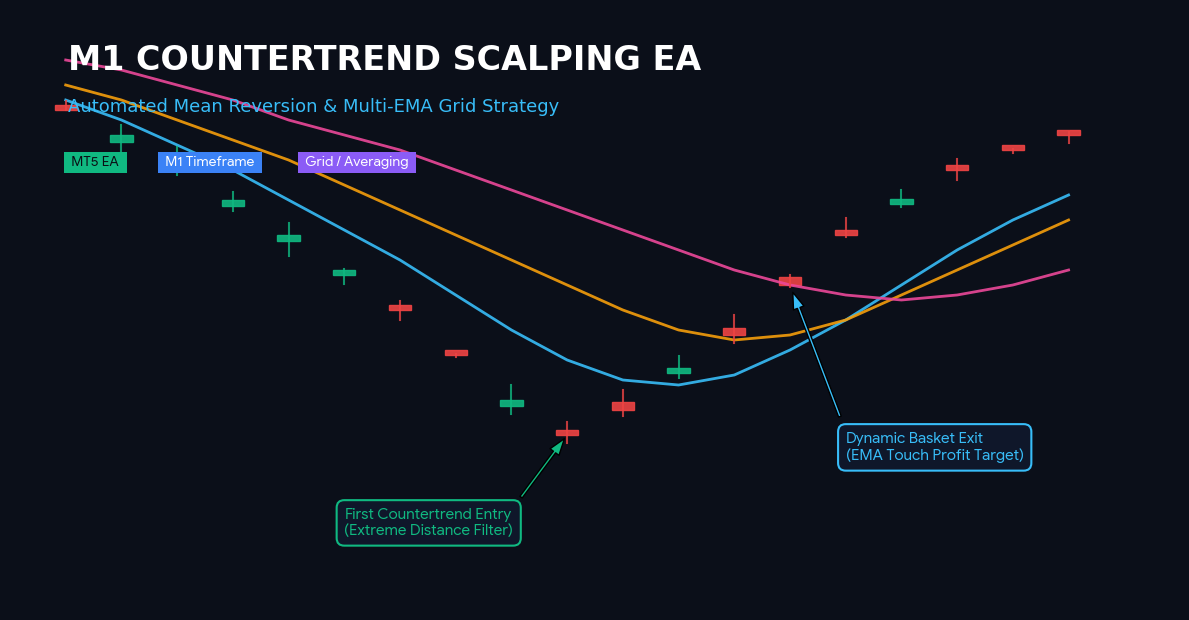
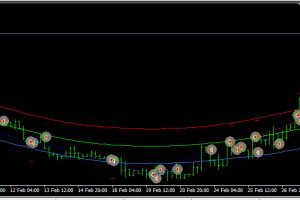
The M1 Countertrend Scalping EA is a rule-based MT5 Expert Advisor derived from the popular ForexFactory strategy originally shared by cpfleger and summarized by Abade. It systematically automates mean-reversion countertrend trading on lower timeframes (primarily M1) by identifying overextended price moves away from multiple Exponential Moving Averages (EMAs), combined with optional grid re-entries, volume filters, and dynamic EMA-touch profit targets.
Key Features & Strategy Highlights
-
Rule-Based Mean Reversion Converts discretionary scalping concepts into precise numerical conditions using distance filters relative to 4 key EMAs (9, 20, 50, 200).
-
Controlled Grid / Averaging System Offers systematic re-entry management with customizable lot multipliers, maximum basket size restrictions, and minimum price gaps between orders.
-
Dynamic EMA Touch Exits Scans nearest EMAs (EMA9 -> EMA20 -> EMA50 -> EMA200) in real-time and closes the entire order basket as soon as an enabled EMA line is touched in profit.
-
Multi-Layered Risk Management Includes maximum spread filtering (news proxy), optional tick volume filters, session time windows, daily percentage loss limits, and a mandatory overnight forced-flat feature.
Core Trading Logic
1. First Entry Conditions (Rule 3)
A new position (BUY or SELL) is initiated only when flat on both sides and spread is within limits:
-
BUY Signal: Current Close price is below ALL three fast/medium/slow EMAs (EMA9, EMA20, EMA50) by at least
InpMinDistancePoints. -
SELL Signal: Current Close price is above ALL three fast/medium/slow EMAs (EMA9, EMA20, EMA50) by at least
InpMinDistancePoints.
2. Re-Entry / Basket Averaging Logic (Rule 4)
If an existing position moves into drawdown, additional positions are added under strict controls:
-
Condition: EMA9 crosses through the last opened order price in the adverse direction (downward for BUY, upward for SELL).
-
Filters: Minimum gap in points (
InpReEntryMinGapPoints) must be maintained, maximum order count (InpMaxReEntries) must not be exceeded, and volume condition must be satisfied (if enabled).
3. Exit Logic (Rule 5)
-
Checks the basket continuously on each tick.
-
Closes the entire basket (all open trades for the symbol/magic number) when price touches the nearest active EMA (EMA9, EMA20, EMA50, or EMA200), provided the exit level yields a net profit over the basket’s weighted average entry price.
Input Parameter Configuration Guide
Below is the complete parameter breakdown grouped by MT5 input sections:
1. General Settings
-
InpMagicNumber (Default:
20231116): Unique identification number for tracking EA positions. -
InpTradeComment (Default:
"M1_CounterTrend"): Comment label attached to executed orders. -
InpWorkingTF (Default:
PERIOD_M1): Timeframe used to calculate indicators and entry signals. -
InpMaxSpreadPoints (Default:
20): Maximum allowable spread in points. Serves as a volatility/news proxy filter.
2. EMA Settings
-
InpEMA_Fast (Default:
9): Fast EMA period for trigger and re-entry logic. -
InpEMA_Medium (Default:
20): Medium EMA period. -
InpEMA_Slow (Default:
50): Slow EMA period. -
InpEMA_Trend (Default:
200): Long-term trend EMA period for extended exits.
3. First Entry Settings
-
InpMinDistancePoints (Default:
150): Minimum distance (in points) price must stretch beyond EMA9, EMA20, and EMA50 to trigger the first trade. -
InpLotSize (Default:
0.01): Initial trade volume in lots.
4. Re-Entry (Averaging) Settings
-
InpUseReEntries (Default:
true): Enable or disable the grid/averaging feature. -
InpMaxReEntries (Default:
5): Maximum number of additional grid orders allowed per basket. -
InpLotMultiplier (Default:
1.3): Multiplier applied to lot size for each subsequent re-entry order. -
InpMaxLotSize (Default:
1.0): Cap on single order lot size. -
InpReEntryMinGapPoints (Default:
100): Minimum price distance (in points) required from the previous order before opening a new grid level.
5. Volume Filter (Discretionary Rule 6)
-
InpUseVolumeFilter (Default:
false): Enable/Disable tick volume confirmation for re-entries. -
InpVolumeMAPeriod (Default:
20): Moving average period for tick volume. -
InpRequireVolumeWeak (Default:
true): Whentrue, requires volume to be below its MA before re-entering (indicates weakening momentum, safer). Whenfalse, requires volume to be above its MA.
6. Exit Settings
-
InpExitOnEMA9 (Default:
true): Enable EMA9 as a dynamic exit target. -
InpExitOnEMA20 (Default:
true): Enable EMA20 as a dynamic exit target. -
InpExitOnEMA50 (Default:
true): Enable EMA50 as a dynamic exit target. -
InpExitOnEMA200 (Default:
true): Enable EMA200 as a dynamic exit target.
7. Session / Overnight Protection
-
InpUseSessionFilter (Default:
false): Enable server-time trading window restriction. -
InpSessionStartHour (Default:
7): Active trading start hour (0–23). -
InpSessionEndHour (Default:
21): Active trading end hour (0–23). -
InpForceCloseOvernight (Default:
true): Forces all positions to close and blocks new trades before EOD. -
InpForceCloseHour (Default:
22): Server hour at which all positions are closed and trading halts.
8. Risk Management
-
InpMaxDailyLossPercent (Default:
0): Daily drawdown protection limit in % of account balance (0= disabled). -
InpSlippagePoints (Default:
20): Maximum allowed order execution slippage in points.









Leave a Reply